


Send a Message to a Member of Your Success Team
Contact Your Success Team

Access the myGASTON portal from the gaston.edu homepage
(https://www.gaston.edu/mygaston/).
Click the “Watermark” app tile in the apps dashboard.
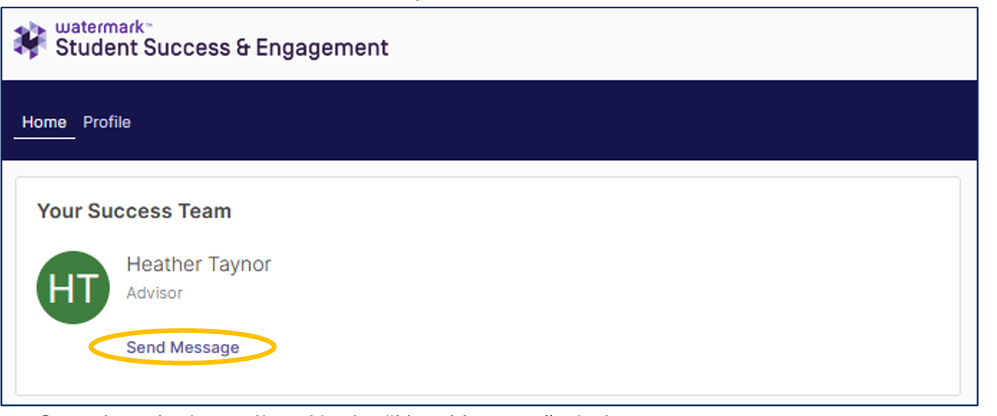
Under the “Your Success Team” section, click the “Send a Message” button underneath the desired member of your success team.
Complete the items listed in the “New Message” window.
a. To: verify the sender’s name and/or add additional recipients.
b. Subject: enter an appropriate subject line
c. Message: compose a detailed message
d. Attach: click the attach button to include attachments to the message.
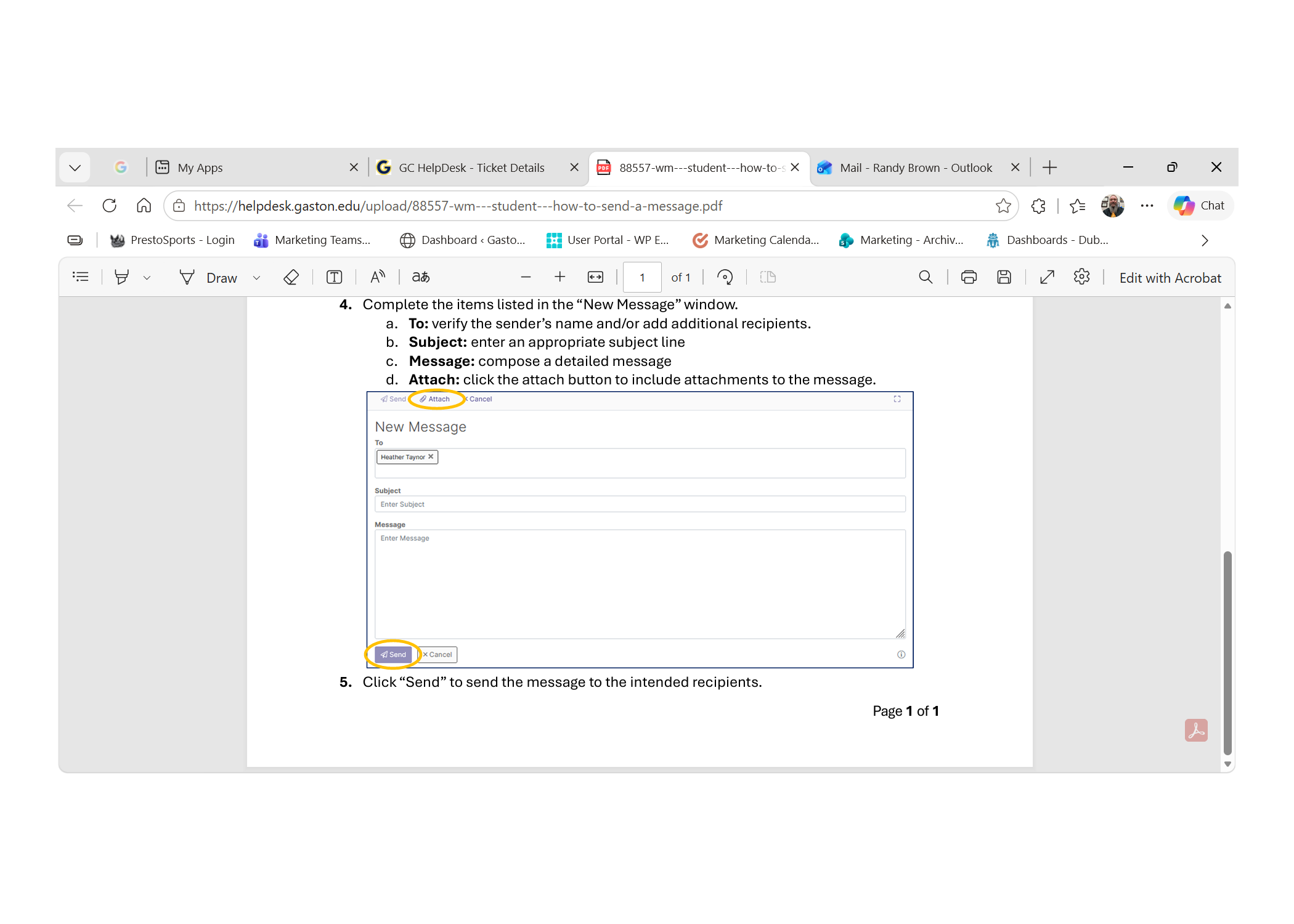
Click “Send” to send the message to the intended recipients.