


Advising Appointment Guide
Using the Watermark: Advisor Appointment Scheduler

Access the “myGASTON” apps dashboard from the gaston.edu homepage (https://www.gaston.edu/mygaston/).
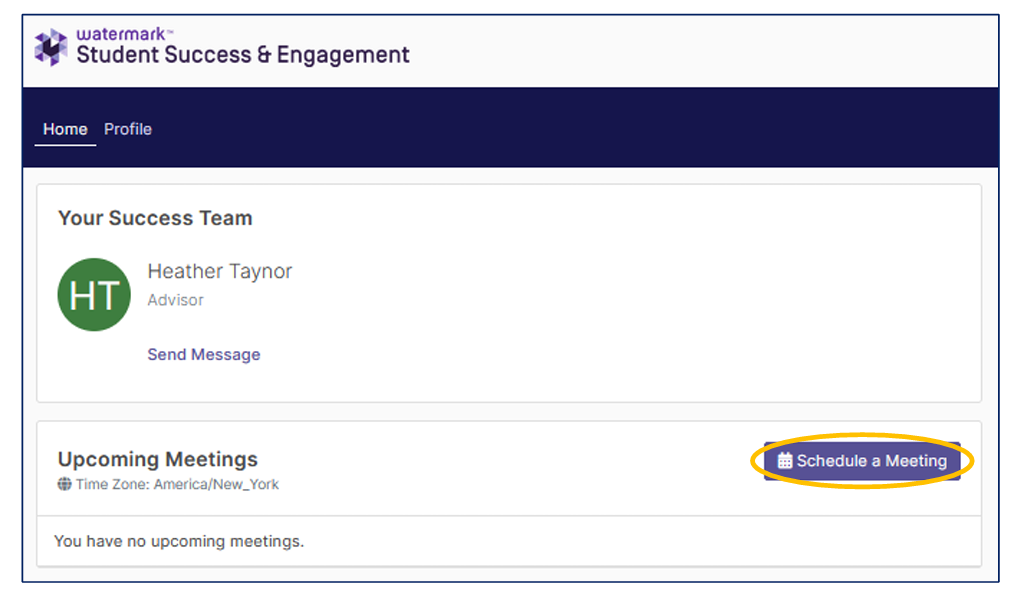
Click the “Watermark” app tile in the apps dashboard.
Under the “Your Success Team” section, make a note of your assigned advisor, then click on the “Schedule a Meeting” button.
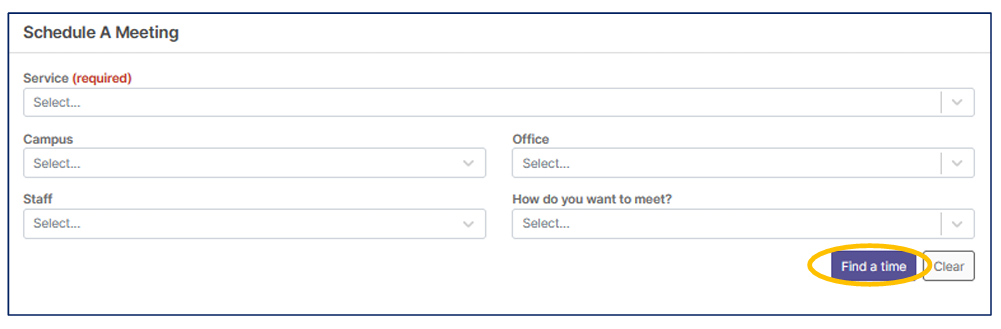
Fill out the fields in the “Schedule a Meeting” window to begin scheduling the meeting (refer to page 3 for tips):
Once the details are filled out, click the “Find a time” button.
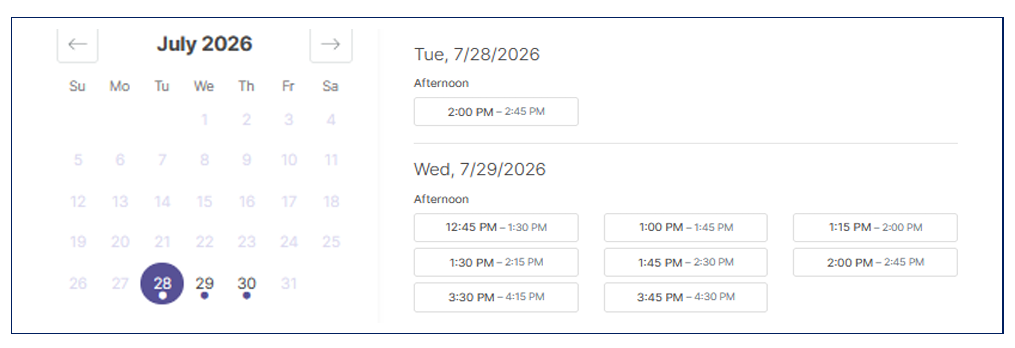
Find and select the available day/time that works for your schedule.
Note: Some advisors’ schedules may be booked weeks in advance during peak advising and registration periods. Additionally, the College is closed on Fridays during the summer term.
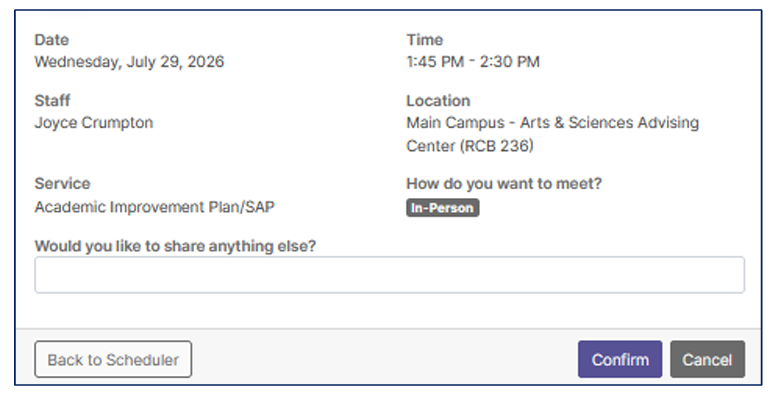
Confirm
-
- Check the appointment card for accurate date, time, advisor, and meeting modality.
- Include any additional information to be shared with your assigned advisor in the “Would you like to share anything else?”
- Click “Confirm” to schedule the appointment. A calendar invite will be sent to your advisor and your Gaston College email account.
Fields in the “Schedule a Meeting” Form
- Service (Required) o 1St Semester Follow-up/Academic Planning o Academic Advising – Other/Follow-up o Academic Improvement Plan/SAP o New Student Advising o Program Change o Student Athlete Advising
- Campus
- Main Campus (Dallas)
- Lincoln Campus (currently, only Health and Human Services Advisors are available at the Lincoln Campus on Tuesday and Wednesday).
- Staff o Select your assigned Advisor noted in Step 3.
- Office o Career & Technical Education Advising Center (Myers Center 2nd Floor) o Health & Human Services Advising Center (Myers Center 2nd Floor) o Arts & Sciences Advising Center (RCB 236) o Lincoln Campus (LC 2nd Floor) o Student Athlete Advising (DSC)
- How do you want to meet?
- In-person: make sure you know where your advisor’s office is located. o Phone call: your advisor will call the number listed in the system. o Virtual: links for virtual meetings will be sent to your student email account prior to the appointment time.